
Features
Everything TidyWipe does, and the rules it follows while doing it.
Finds what tools leave behind
Scans caches from about 45 providers — package managers, build tools, IDEs, AI model stores, browsers and apps — plus per-project build output.
Preview before anything is deleted
Every cleanup lists the exact paths, sizes, file counts and risk level first. A dry run reports what would be removed and deletes nothing.
Uses official commands
Where a tool has its own cleanup command — npm cache clean, go clean -modcache, docker builder prune — TidyWipe runs it, after confirming it targets the folder you previewed.
Protects what matters
Git directories, SSH and GPG keys, credentials, databases, browser profiles, AI chat histories, settings and Docker images are never touched.
Unused files explorer
Surfaces old downloads, installers, archives and stale files with a confidence score and the reasons. Manual only — nothing is pre-selected or removed automatically.
History and audit log
Each run is saved locally and every deletion is appended to an audit log, so you can always see what was cleaned and when.
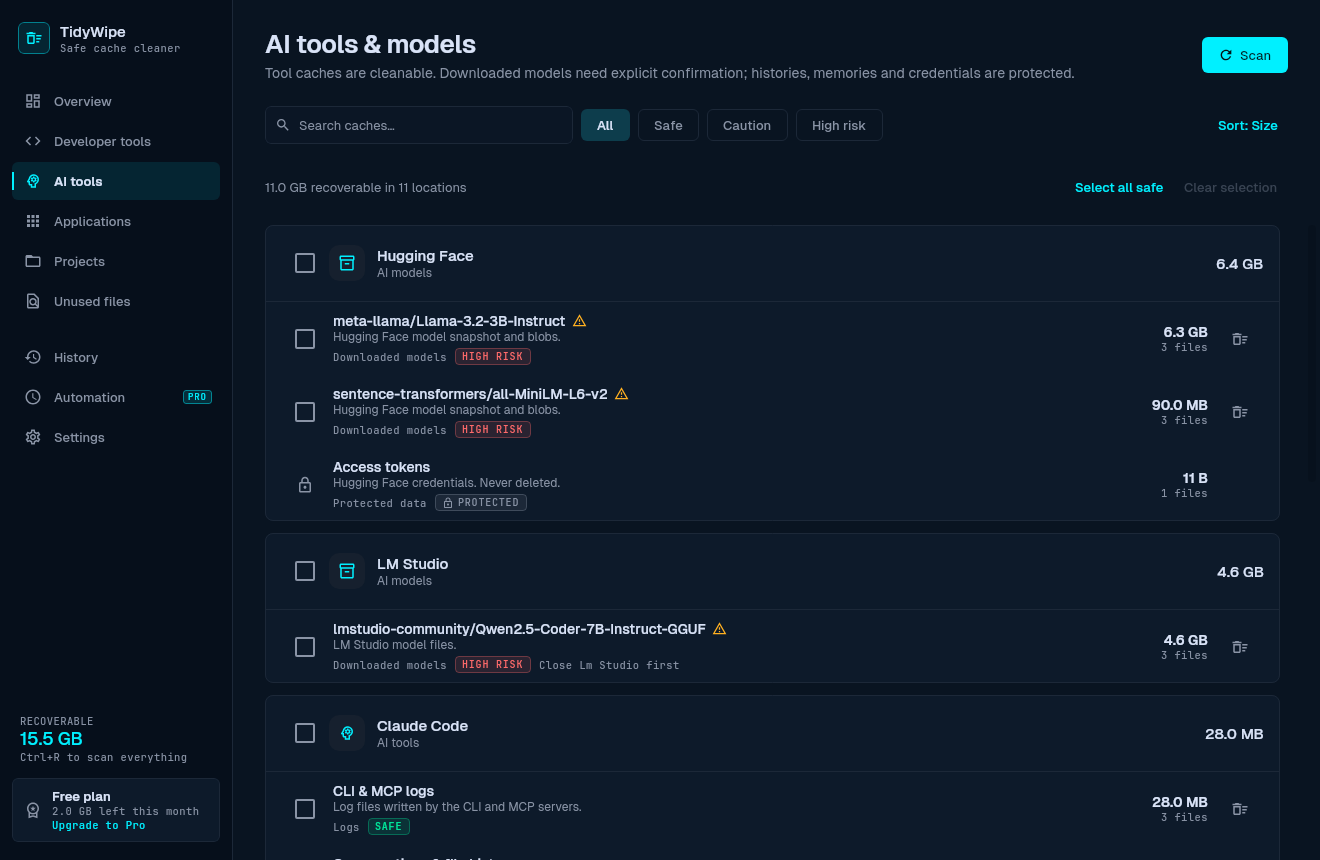
Developer and AI-tool caches
- Package managers: npm, pnpm, Yarn, Bun, NuGet, pip, Poetry, uv, Composer, Cargo, Go.
- Build tools and IDEs: Gradle, Kotlin, Maven, Android, JetBrains IDEs, VS Code, Cursor, Docker build cache.
- AI model stores: Hugging Face, PyTorch, Ollama, LM Studio — always high-risk, always confirmed.
- Claude Code, Codex and Gemini CLI are detected and their data is protected.
Project build output
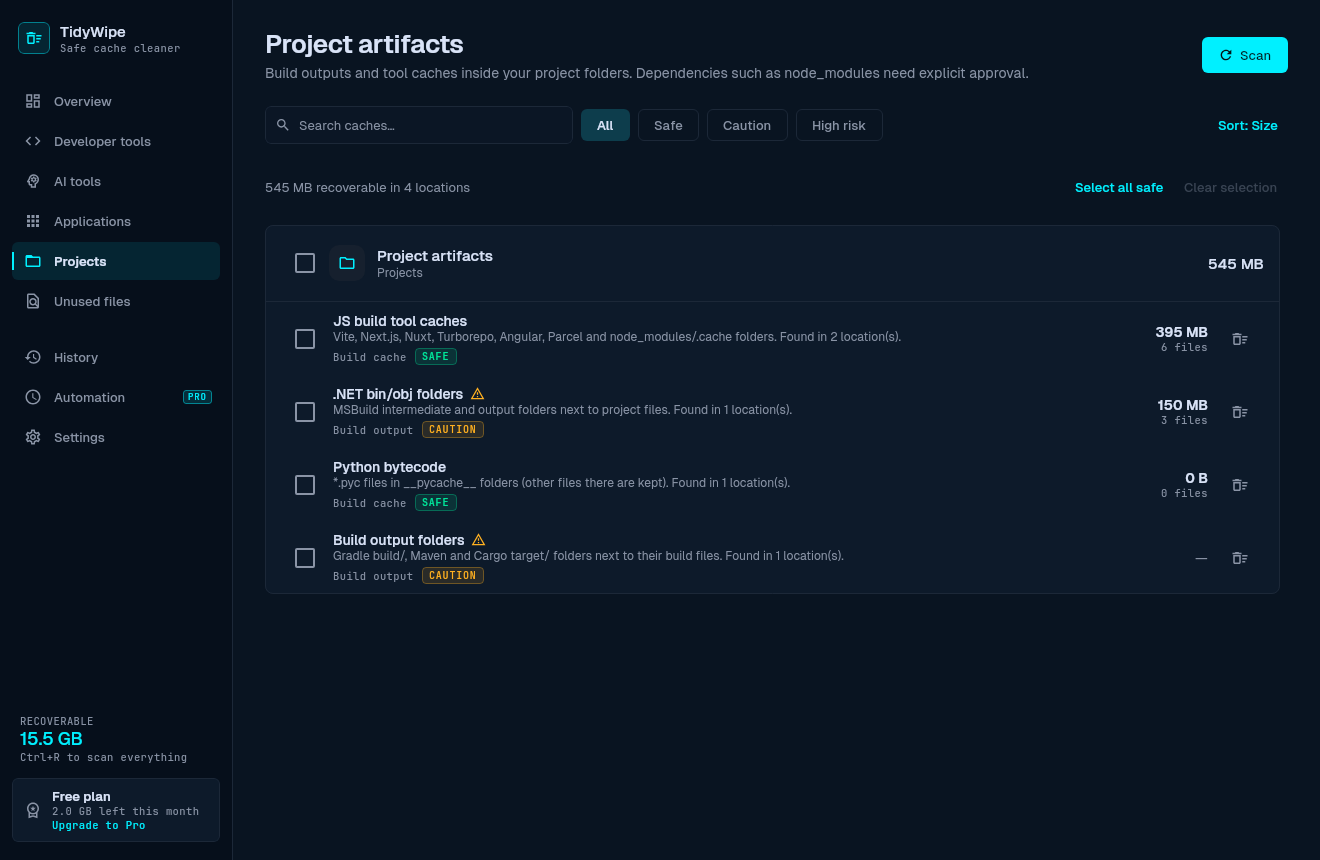
- Finds regenerable build directories inside your projects.
- node_modules is listed but never selected by default and never cleaned automatically.
- VCS directories are always protected.
History you can audit
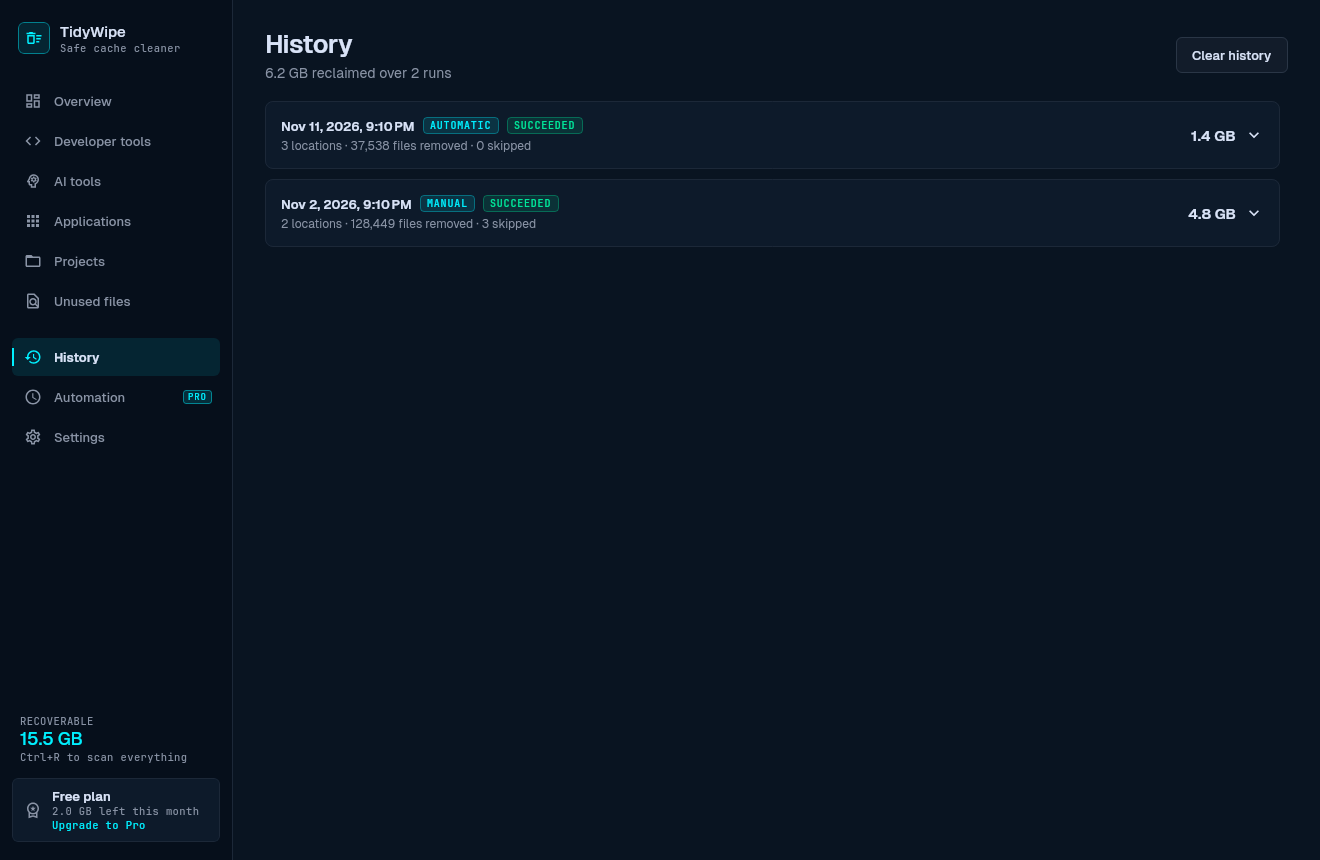
- Every run is saved locally with what was cleaned and how much space it freed.
- Each deletion is appended to a JSON-lines audit log.
- Desktop notifications when a scheduled run finishes.
Pro: scheduled cleanup
- Off by default. When enabled, the default interval is 10 days.
- Set a different interval for each category.
- Runs only SAFE targets that you approved one by one.
- Linux: systemd user timer (XDG autostart fallback). Windows: Task Scheduler.
- The Unused Files explorer is never run by the scheduler.
- Up to 2 computers per license, verified offline.
Safety rules
- Directory names are never trusted: each cache must match its tool's on-disk format.
- Every path is checked against the authorized roots for its target. Symlinks are never followed.
- Mount points and files held open by running programs are never touched.
- Targets that belong to a running app (Gradle daemons, browsers, Discord…) are skipped.
- Downloaded AI models are high-risk and always need explicit confirmation.
- Commands run through an allowlisted executor with no shell.
Supported tools
- npm
- pnpm
- Yarn
- Bun
- Gradle
- Kotlin
- Maven
- Android
- NuGet
- pip
- Poetry
- uv
- Composer
- Cargo
- Go
- Docker build cache
- JetBrains IDEs
- VS Code
- Cursor
- Hugging Face
- PyTorch
- Ollama
- LM Studio
- Chromium browsers
- Firefox
- Discord
- Telegram
- Spotify
- Steam
- Temp files
- Thumbnail caches
- Project build output